
How to Create Professional AI Voiceovers (Step-by-Step Guide 2026)
AI voice technology has transformed digital content creation. Today, anyone can generate realistic narration for YouTube videos, podcasts, advertisements, and storytelling content without expensive microphones or voice actors.
However, there is a major difference between basic AI-generated speech and truly professional voiceovers that sound natural and engaging.
Most beginners fail because they focus only on tools, not techniques.
This guide will show you how to create high-quality, professional AI voiceovers step by step, while also connecting important topics like:
- AI Voice Changer
- Playht AI Review
- AI Voice for YouTube Videos
- Clone Your Voice Using AI
- Make Money with AI Voice
- Voiceover Business with AI
- AI Voices for Storytelling
- AI Voice vs Human Voice
- and how to avoid mistakes explained in Common Mistakes in AI Voiceovers
Let’s begin.
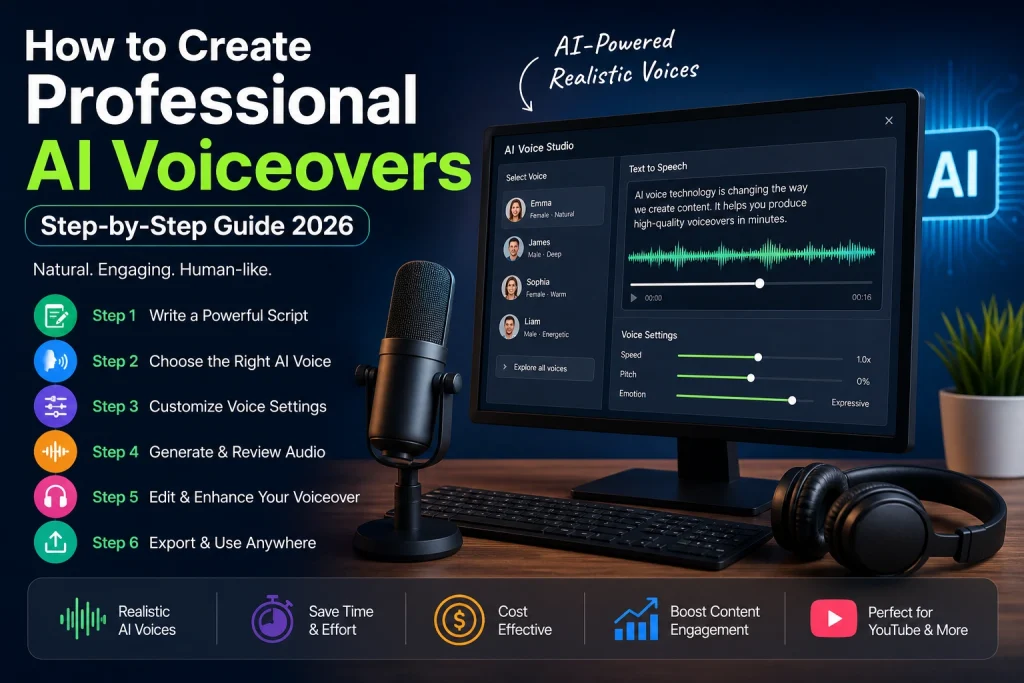
1. What Makes an AI Voiceover “Professional”?
A professional AI voiceover is not just text converted into speech.
It must feel:
- Natural
- Emotional
- Well-paced
- Human-like
Common failure reasons:
Most beginners create robotic audio because they:
- Use default settings
- Ignore script quality
- Skip editing
Even advanced tools like those discussed in Playht AI Review can produce poor results if not used correctly.
2. Step 1 – Choose the Right AI Voice Tool
Your first step is selecting the right platform.
Not all AI tools produce the same quality.
Look for:
- Neural voice engines
- Emotion control
- Pitch & speed settings
- High-quality export options
Many creators start with tools used in AI Voice for YouTube Videos because they are optimized for content creation.
3. Step 2 – Write a Natural Spoken Script
This is where most people fail.
Bad example:
❌ “This article provides an overview of AI voice generation technology…”
Good example:
✔ “In this video, I’ll show you how AI voice generation actually works.”
Key rules:
- Write like you speak
- Use short sentences
- Avoid complex grammar
- Keep it conversational
👉 Good scripting is also essential if you’re learning how to Make Money with AI Voice using content platforms.
4. Step 3 – Structure Your Script Properly
A professional voiceover always follows structure:
1. Hook
Grab attention immediately:
“What if you could create a professional voiceover in under 2 minutes?”
2. Introduction
Explain topic clearly
3. Main Content
Step-by-step explanation
4. Conclusion
Summary + action
5. Step 4 – Select the Right Voice Style
Voice selection is critical.
Match voice to content type:
- Educational → Neutral tone
- Storytelling → Emotional tone (see AI Voices for Storytelling)
- Marketing → Energetic tone
- Podcasts → Calm tone
6. Step 5 – Enhance Output Using AI Voice Tools
Advanced users often refine voices using tools like AI Voice Changer.
This allows you to:
- Adjust tone
- Modify pitch
- Improve expressiveness
7. Step 6 – Avoid Common AI Voice Mistakes
Before going further, it’s important to understand what NOT to do.
Most beginners make mistakes explained in Common Mistakes in AI Voiceovers, such as:
- Using robotic voices
- Ignoring punctuation
- Skipping editing
- Poor script writing
Avoiding these alone dramatically improves quality.
8. Step 7 – Improve Emotional Delivery
AI voices often sound flat.
Fix this by:
- Adding pauses
- Emphasizing keywords
- Changing tone dynamically
Emotion is what separates amateur and professional output.
9. Step 8 – Voice Cloning for Advanced Users
Voice cloning allows personalization.
With Clone Your Voice Using AI you can:
- Clone your own voice
- Build consistent branding
- Scale content production
Important:
Always use high-quality recordings for best results.
10. Step 9 – AI Voice vs Human Voice
It’s important to understand limitations.
See comparison: AI Voice vs Human Voice
Human voice:
- Emotional depth
- Natural breathing
- Real-time adaptation
AI voice:
- Fast production
- Scalable content
- Low cost
11. Step 10 – Creating YouTube Content with AI Voice
YouTube is one of the biggest use cases.
Creators use AI Voice for YouTube Videos to:
- Build faceless channels
- Automate narration
- Scale video production
12. Step 11 – Storytelling with AI Voice
Storytelling is where AI voice becomes powerful.
Using AI Voices for Storytelling helps:
- Increase engagement
- Improve watch time
- Build emotional connection
13. Step 12 – Monetizing AI Voice Content
AI voiceovers can be turned into income.
You can:
- Monetize YouTube channels
- Sell voiceover services
- Offer freelance work
Learn more:
👉 Make Money with AI Voice
14. Step 13 – Starting a Voiceover Business
AI makes it possible to start a business from home.
With Voiceover Business with AI you can:
- Offer services online
- Build agency models
- Scale globally
15. Step 14 – Choosing the Right AI Tool
Before investing time, always review tools carefully.
For example, check reviews like:
👉 Playht AI Review
Look for:
- Voice realism
- Pricing
- Features
- Ease of use
16. Step 15 – Editing and Final Optimization
Never publish raw AI output.
Always:
- Review audio
- Fix pronunciation
- Adjust pacing
- Normalize volume
17. Final Mistakes to Avoid
- Using default settings
- Ignoring script quality
- Overusing one voice
- Skipping editing
- Not testing output
These are the same issues highlighted in Common Mistakes in AI Voiceovers.
Final Thoughts
Creating professional AI voiceovers is not about pressing a button—it is about combining:
- Proper scripting
- Smart tool usage
- Emotional delivery
- Careful editing
When done correctly, AI voice technology helps you:
- Grow YouTube channels
- Build digital businesses
- Generate income
- Scale content faster
But remember:
👉 Tools create audio, but you create quality.
