AI voice technology has improved rapidly, but one issue still stands out:
that unnatural, robotic sound.
If you’ve ever generated a voiceover and thought “this doesn’t sound human enough”, you’re not alone.
Whether you’re creating content for YouTube, ads, audiobooks, or even building a Voiceover Business with AI, improving voice quality is essential. The difference between robotic and natural audio often determines whether your audience stays or leaves.
The good news? You can fix it.
This guide will show you exactly how to transform robotic AI voices into smooth, human-like narration step by step.
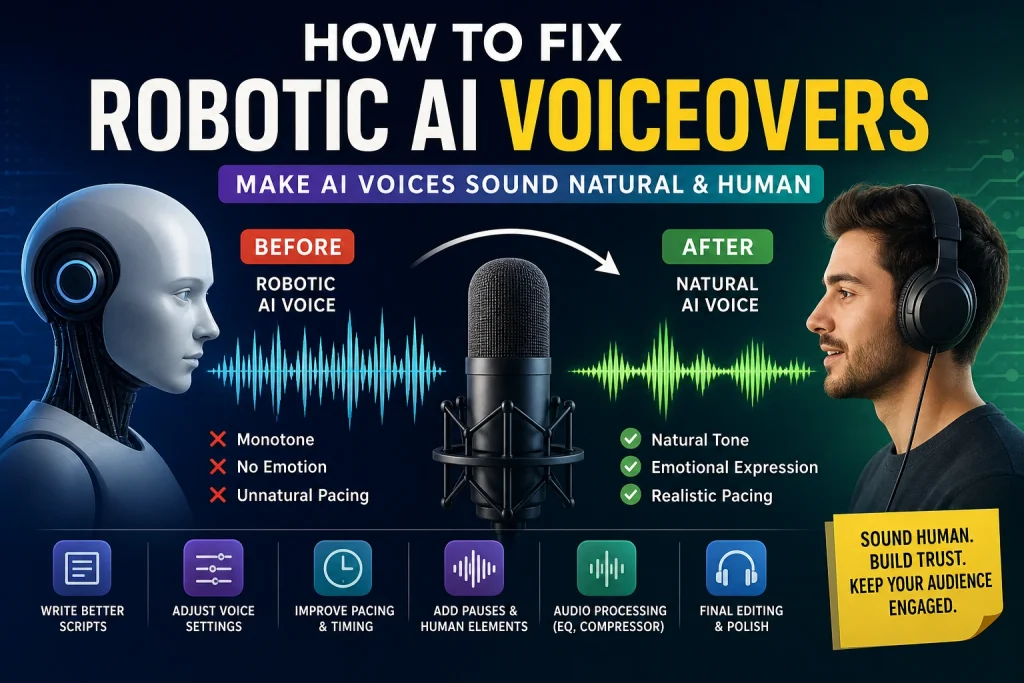
Why AI Voiceovers Sound Robotic
Before fixing the issue, it’s important to understand why it happens.
AI voices are generated based on patterns not real human experience. That means they often miss subtle but important elements like emotion, pacing, and natural variation.
Key reasons include:
- Flat tone (monotone delivery)
- Perfect but unnatural timing
- No breathing or human pauses
- Weak emotional expression
- Poor script structure
Even high-end tools can sound robotic if these factors aren’t handled properly.
Step 1: Write Like You Speak (Not Like a Blog)
This is the most important step.
If your script sounds unnatural, your voiceover will too no matter how advanced the AI is.
Many beginners make the mistake of writing scripts like formal articles. But AI performs best when the text feels conversational.
If you’re learning how to Create Professional AI Voiceovers, start by changing your writing style first.
Example:
❌ Formal:
“Artificial intelligence voice technology is widely used across industries.”
✅ Natural:
“AI voice technology is everywhere now and it’s getting better fast.”
How to improve your script
- Use short, clear sentences
- Add pauses with commas and line breaks
- Use contractions (it’s, don’t, you’ll)
- Write like you’re talking to one person
If your goal is creating content such as AI Voice for YouTube Videos, this step becomes even more critical because audience retention depends heavily on natural delivery.
Step 2: Choose the Right Voice Model
Not all AI voices are equal.
Some are expressive and dynamic, while others sound flat and mechanical.
When testing voices, pay attention to:
- Tone variation
- Clarity
- Natural pacing
- Accent suitability
If you’re exploring tools, you may find insights in a Playht AI Review, which often highlights differences between voice models and their realism.
Step 3: Adjust Voice Settings Properly
Most AI voice tools provide adjustable settings. These are often overlooked but they make a huge difference.
Key settings to optimize:
Stability
Lower stability adds variation and reduces robotic tone.
Speed
Slightly slower or faster speech can feel more natural depending on the context.
Pitch
Small pitch adjustments help avoid monotone output.
If you’re experimenting with tools like an AI Voice Changer, these settings become even more important to fine-tune your final output.
Step 4: Fix Pacing and Timing
AI voices often fail because their timing is too perfect.
Human speech is naturally inconsistent we pause, speed up, and slow down.
How to fix this:
- Break long scripts into smaller sections
- Add pauses after key sentences
- Avoid generating long paragraphs in one go
This technique is especially useful when producing emotional content like AI Voices for Storytelling, where pacing plays a major role in engagement.
Step 5: Add Human Elements (Breathing & Pauses)
Real voices include subtle details that AI removes by default.
Adding them back improves realism instantly.
What to include:
- Light breathing sounds
- Natural pauses
- Small silence gaps between sentences
These details may seem minor, but they help bridge the gap between AI Voice vs Human Voice quality.
Step 6: Improve Audio with Basic Processing
Even after generating a good voice, post-processing is essential.
Simple improvements:
EQ (Equalization)
Add warmth and clarity to the voice.
Compression
Smooth out volume differences.
Reverb (light use)
Creates a natural room feel.
These techniques are commonly used by professionals who Create Professional AI Voiceovers for clients and content platforms.
Step 7: Fix Pronunciation Issues
AI sometimes mispronounces words, especially brand names or technical terms.
Solutions:
- Break words into smaller parts
- Use phonetic spelling
- Adjust pronunciation manually if your tool allows
This is especially useful if you’re learning how to Clone Your Voice Using AI, where accurate pronunciation becomes even more noticeable.
Step 8: Add Emotion to Your Script
AI struggles with emotion unless guided properly.
Improve emotional delivery by:
- Writing expressive sentences
- Using pauses for emphasis
- Structuring sentences with rhythm
For example:
“And then… everything changed.”
That pause creates tension and realism.
Emotion matters even more when you’re creating content for monetization, such as learning how to Make Money with AI Voice through videos, ads, or narration services.
Step 9: Use Background Audio and Layering
Professional voiceovers rarely exist in isolation.
Adding background elements improves perceived quality.
Consider adding:
- Light background music
- Ambient sound
- Subtle effects
Layering helps mask small imperfections and enhances realism especially important if you’re building a Voiceover Business with AI.
Step 10: Edit and Refine the Final Output
Never publish raw AI audio.
Even small edits can significantly improve quality.
Final editing checklist:
- Remove awkward pauses
- Adjust timing
- Normalize volume levels
- Ensure smooth transitions
Avoid rushing this step polished audio builds trust and credibility.
Common Mistakes to Avoid
Many users unknowingly create robotic voiceovers due to simple mistakes.
If you’re struggling, review these Common Mistakes in AI Voiceovers:
1. Using default settings
Always customize voice parameters.
2. Writing overly formal scripts
AI performs better with conversational tone.
3. Ignoring pacing
Timing is critical for realism.
4. Over-editing audio
Too much processing can make audio sound unnatural.
5. Choosing low-quality voices
Voice selection matters more than most people think.
Real-World Use Cases
Improving AI voice quality isn’t just about sound it directly impacts results.
YouTube Content
Better voice = higher watch time
Storytelling & Audiobooks
Natural tone = stronger emotional connection
Marketing & Ads
Clear delivery = better conversions
Freelance Voiceover Services
Professional quality = higher earnings
Whether you’re creating tutorials, narrations, or building a brand, improving voice realism is essential.
AI Voice vs Human Voice: Can AI Really Compete?
The gap between AI Voice vs Human Voice is getting smaller but it’s not gone yet.
AI is fast, scalable, and cost-effective.
Humans still lead in emotional depth and nuance.
However, with the techniques in this guide, AI can reach a level where most listeners won’t notice the difference.
Final Thoughts
Fixing robotic AI voiceovers isn’t about one setting or one tool.
It’s about combining:
- Better writing
- Smart voice selection
- Proper settings
- Natural pacing
- Thoughtful editing
When done correctly, AI voiceovers can sound incredibly natural and even professional.
Whether you’re creating content, growing a channel, or trying to Make Money with AI Voice, mastering these techniques gives you a real advantage.